| Support Category: SSO |
| Specialist Notes: |
IMPORTANT! The users will need to log in to their Login.gov credentials in order to access the Learning Academy. We do not reset passwords for GSA Learning Academy. If a user is unable to access the LA and you were able to verify their account in LA is Active, please ask the user to confirm if they have a Login.gov account and if that account has the email address that matches their Learning Academy account.
- If the user is getting the "Service provider Issuer missing from SAML request" message, please refer to the SSO | SAML Error SR. - After providing the SR, if the user states they continue to experience issues accessing login.gov, please refer to the SR SSO | Further Issues with Login.gov to assist the user further. |
WHAT SHOULD YOU KNOW? A user may already have a Login.gov account with their personal email address. |
WHAT DOES IT MEAN? If they have a Login.gov account with their personal email address, they don't need to register again. The user will need to go to the Login.gov website and log in with their existing account so they can add their work email address that matches the Learning Academy account. Their Login.gov account details would then look like this: 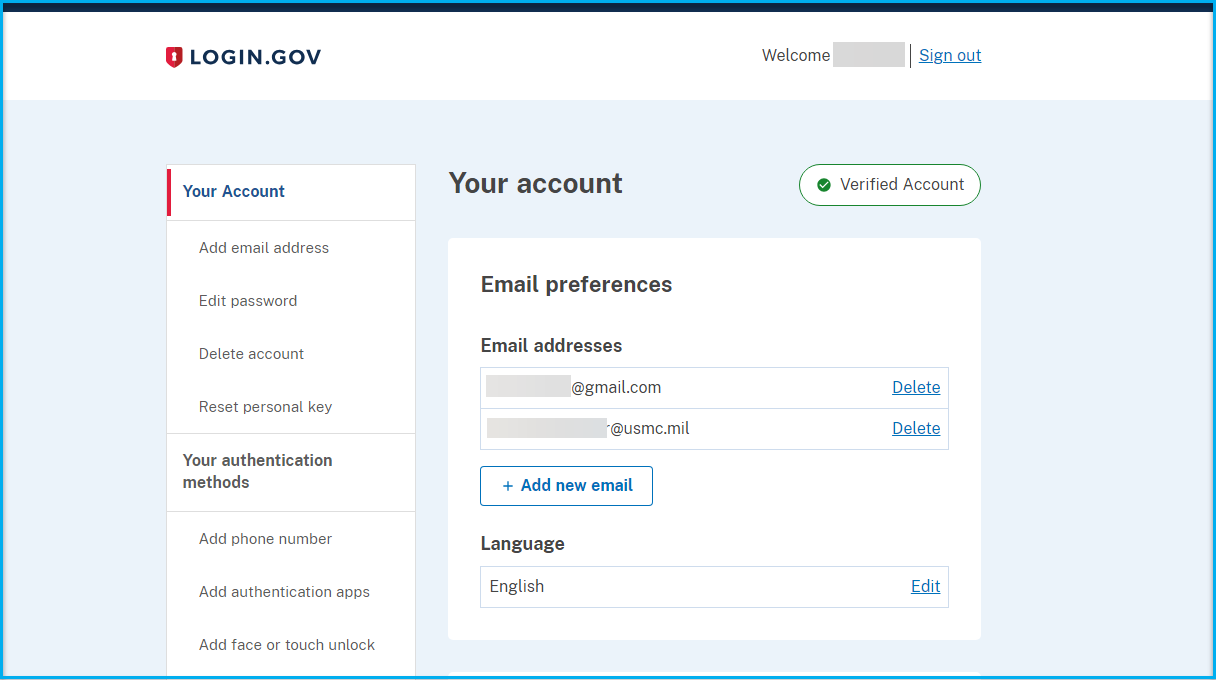 |
| Canned Response Code: /LA01 |
| Standard Response: |
We apologize for the issues you are experiencing when logging in. Unfortunately, we are not able to assist with resetting passwords here at GSA Learning Academy End-User Support.
The GSA Learning Academy Administrators have provided the following instructions for accessing the Learning Academy:
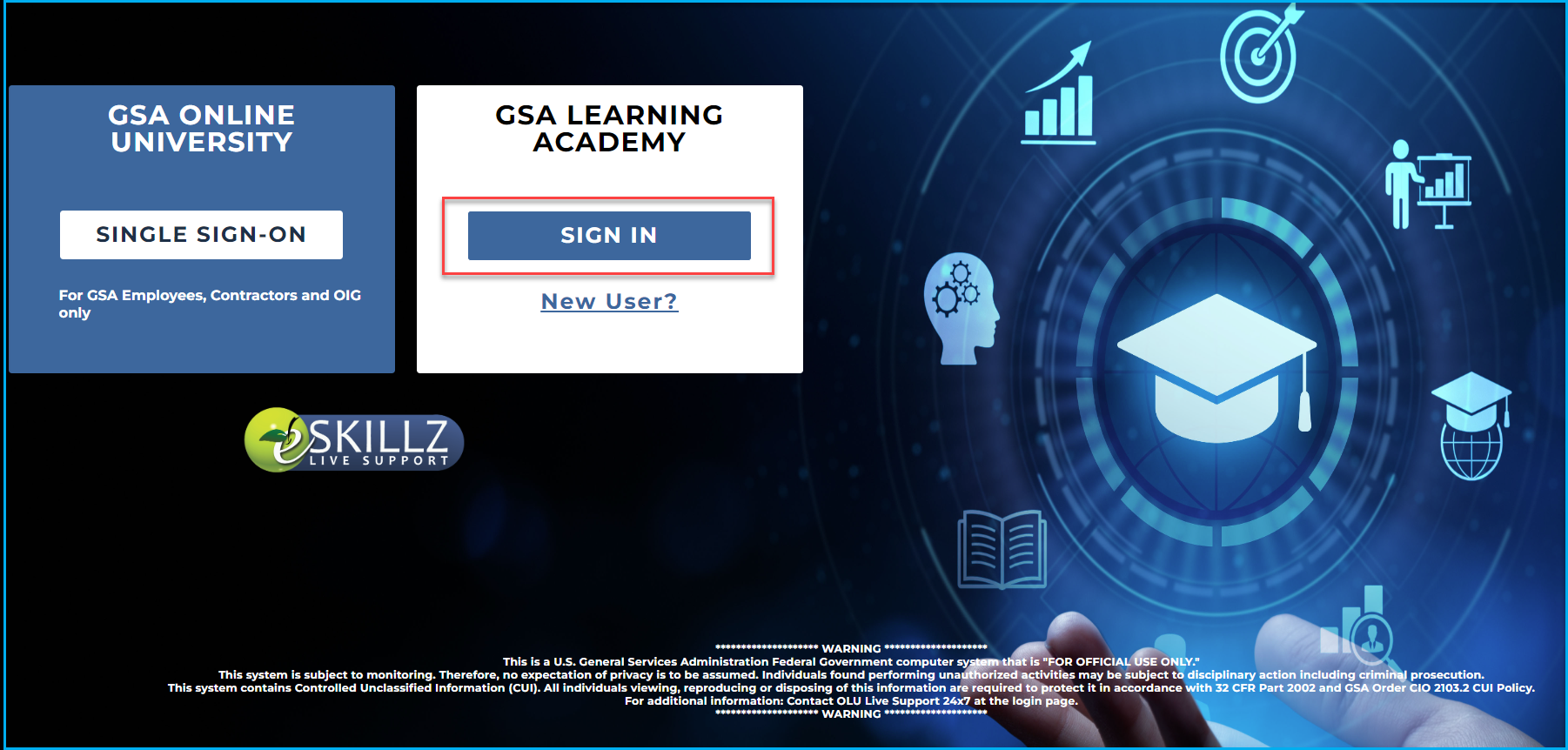
Please visit the following link: https://gsa.csodfed.com/ and click on the 'SIGN IN' blue button within the GSA Learning Academy white box. You will then be prompted to enter your Login.gov credentials in order to log in to the Learning Academy.
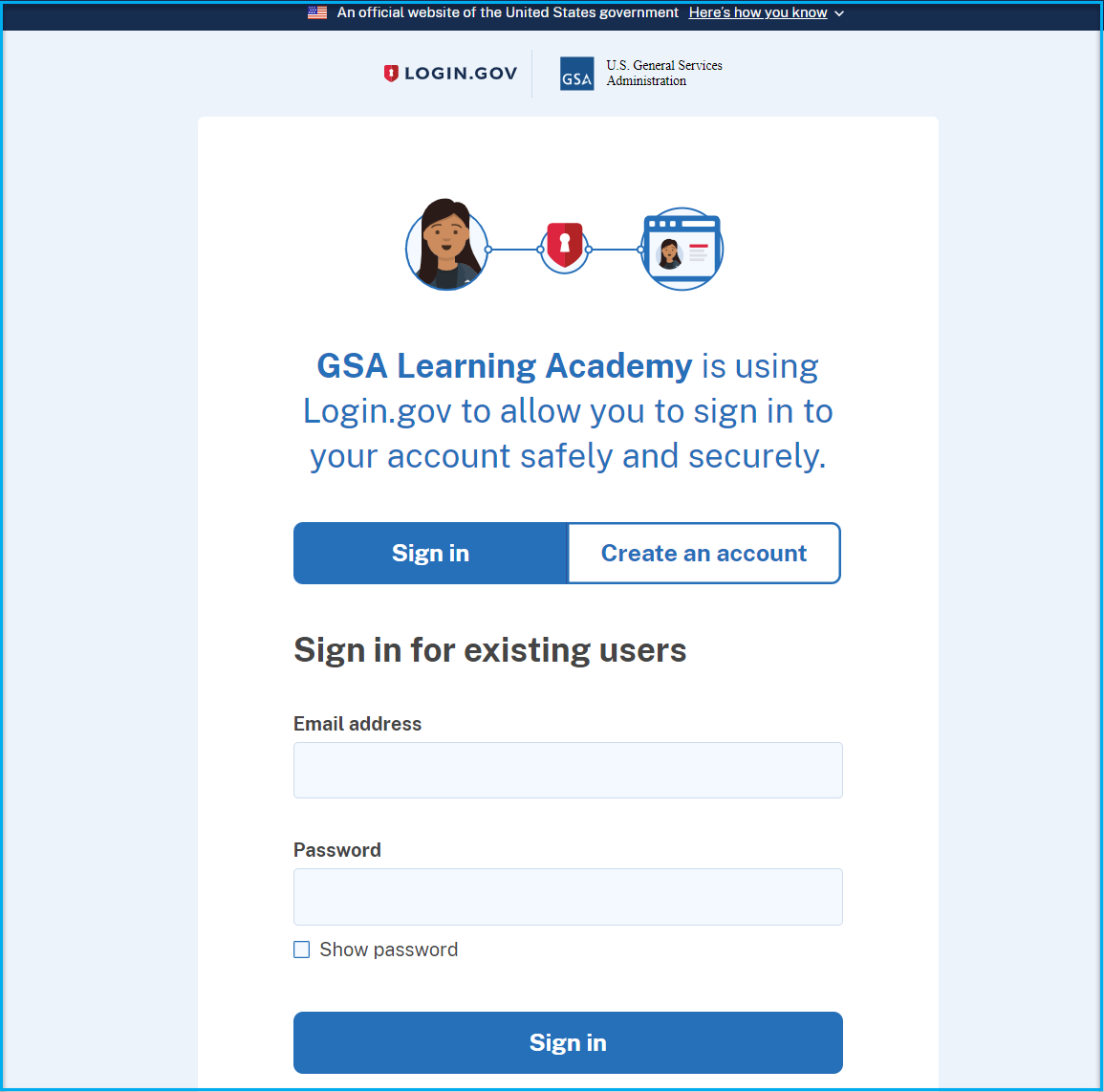
Unfortunately, we are not able to assist with resetting passwords here at GSA Learning Academy End-User Support. If you're having trouble with your login.gov credentials/account, please contact Login.gov support by visiting the following page: https://www.login.gov/contact/ and choosing one of the contact options. They can also be contacted by phone: (844) 875-6446.
