| Support Category: Account Self-Registration Issue |
| Specialist Notes: |
The CAPTCHA test is located at the bottom of the registration page - you may provide the following screenshot to ask the user to confirm if they're/were able to see the CAPTCHA test as shown in the screenshot. If the user is not able to see it, they may click the submit button and then see a red message that says 'The value you entered in the CAPTCHA test is not correct'.
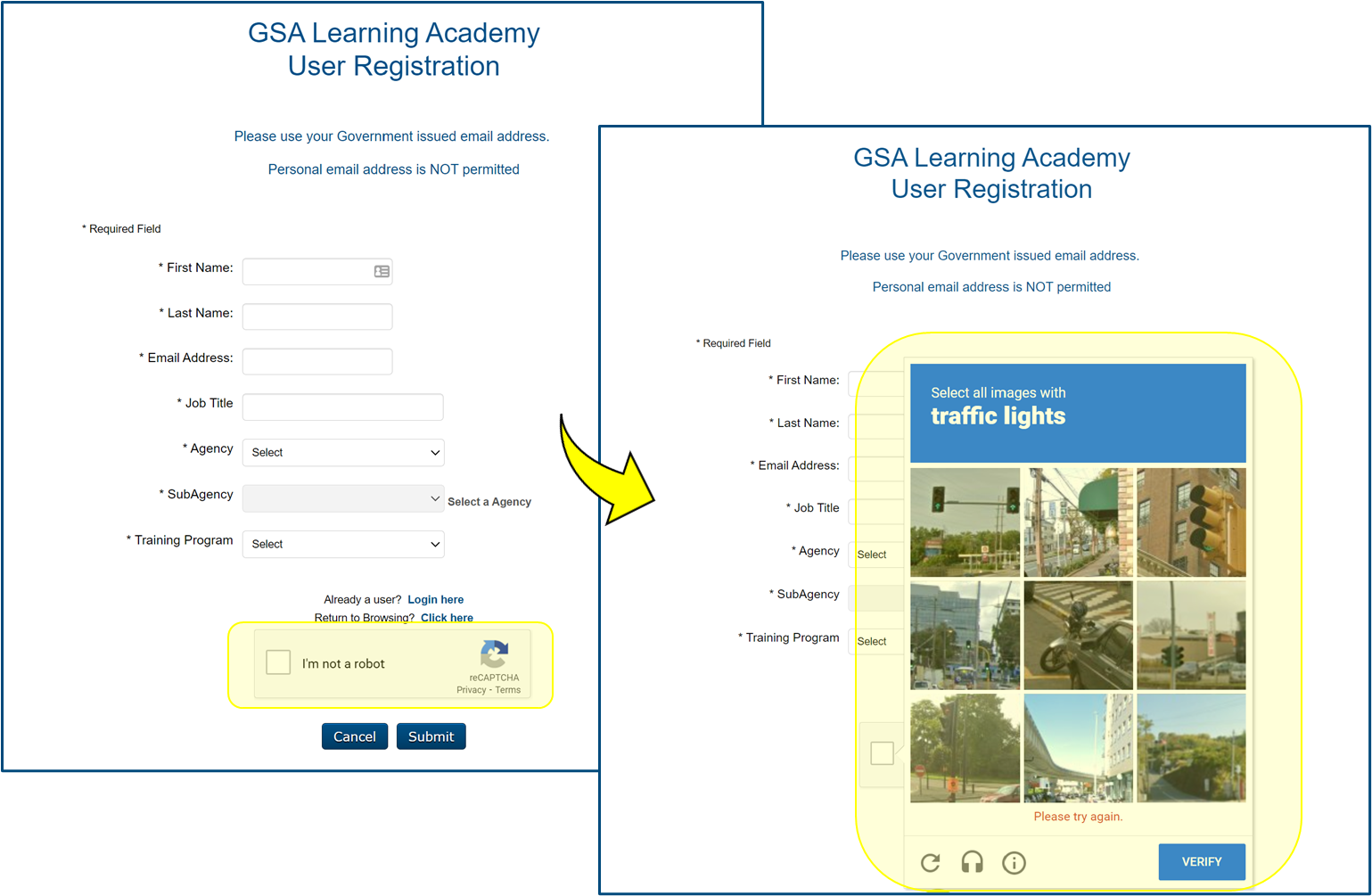
Should a user mention they're seeing that error message related to CAPTCHA when they're attempting to register for an account OR they do not see the option to complete the CAPTCHA test, please provide the SR below to advise them on switching browsers, connecting to a different network or directing them to Login.gov support if the issue persists.
| Standard Response: |
We are sorry to hear that you're experiencing issues with the CAPTCHA test during the registration process. The GSA Learning Academy Administrators have kindly advised that you may attempt using a different browser and/or connect to a different network.
If the issue persists, however, the Administrators advised that you will need to contact Login.gov support for further assistance with the CAPTCHA test issue. To contact them, please visit the following page: https://www.login.gov/contact/ and choose one of the contact options. They can also be contacted by phone: (844) 875-6446.
