| Support Category: SSO |
| Specialist Notes: |
All existing Learning Academy users should have received an email notification of the SSO switch from MAX.gov to Login.gov. However, some users may miss the email. Kindly use the following SR to assist users who may have missed the emails and are having trouble accessing Learning Academy.
IMPORTANT! This SR is specifically for accounts that were created before the transition from Max.gov to Login.gov. The user may have a Learning Academy account but may not have a login.gov account yet. Please ask them to confirm if it's their first time logging in via login.gov.
➤If the user has a Learning Academy account created after the transition, please use the SSO | Login Issue/Password Reset SR instead to assist the user with the login process. |
| Canned Response Code: /LA02 |
| Standard Response: |
Kindly note that in order to access your Learning Academy account you will now need to log in via Login.gov instead of Max.gov.
If you already have a Login.gov account under the same email address associated with your Learning Academy account, you will be able to use the same credentials to authenticate and access your Learning Academy account.
If you have an account under a personal email address, you do not need to register again. Please login to the Login.gov website and add the work email address that matches your Learning Academy account.
If you do not have a Login.gov account yet, you will need to create one. You can do so by visiting the following link: https://gsa.csodfed.com and clicking the Sign In blue button within the GSA Learning Academy white box. This should take you to the login page, please click the Create an Account option, at the top. [see image below]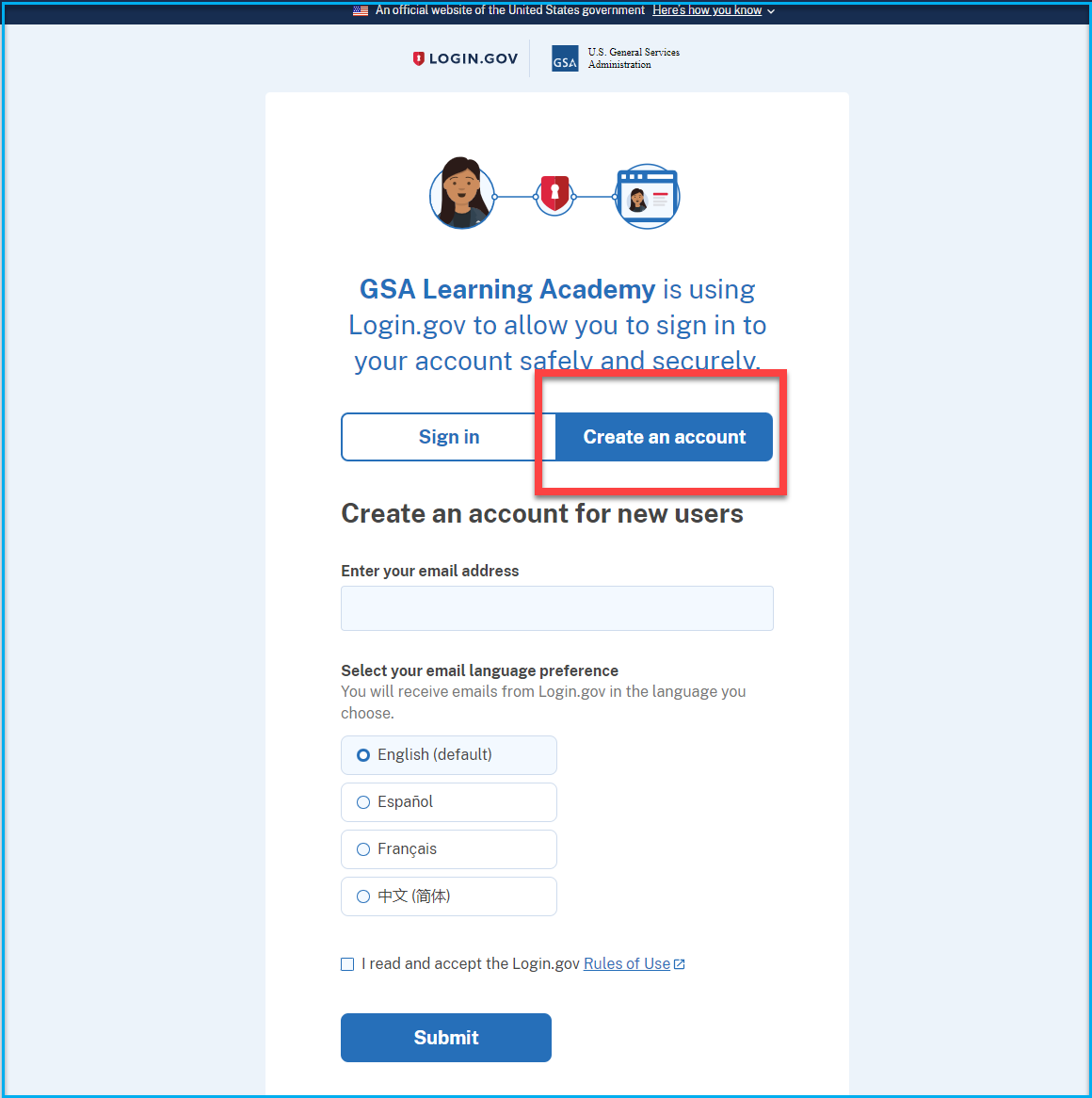
Please make sure you create an account with the same email address that was used with Max.gov to ensure the account is correctly associated with your Learning Academy account.
