| Support Category: SSO |
| Specialist Notes: |
Some users may encounter an error when attempting to access Learning Academy using their PIV Card (Government Employee ID). In some cases, the PIV certificate is linked to the user’s personal email address instead of their work email address, which is typically used to register for Learning Academy.
The GSA OIT provided the steps the user needs to take in order to resolve the issue.
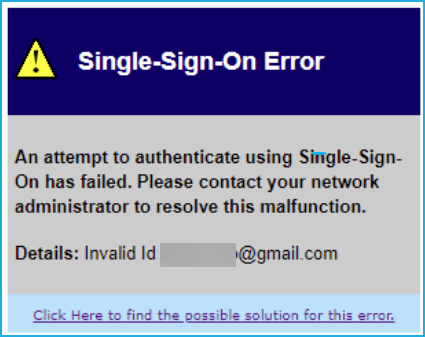
Please provide the SR below should a user reach out stating they’re getting the following error after trying to log in with their PIV:
An attempt to authenticate using Single-Sign-On has failed. Please Details: Invalid Id {user's personal email address} |
IMPORTANT!
|
| Canned Response Code: /LA04 |
| Standard Response: |
Thank you for your patience while I looked into this for you. To resolve your issue, kindly follow the steps below:
1. Log in directly to your Login.gov account using this link: https://secure.login.gov/
2. Click the Your connected accounts option from the menu on the left.
3. Locate the ‘GSA Learning Academy’ tile, and click the Change hyperlink next to your personal email address.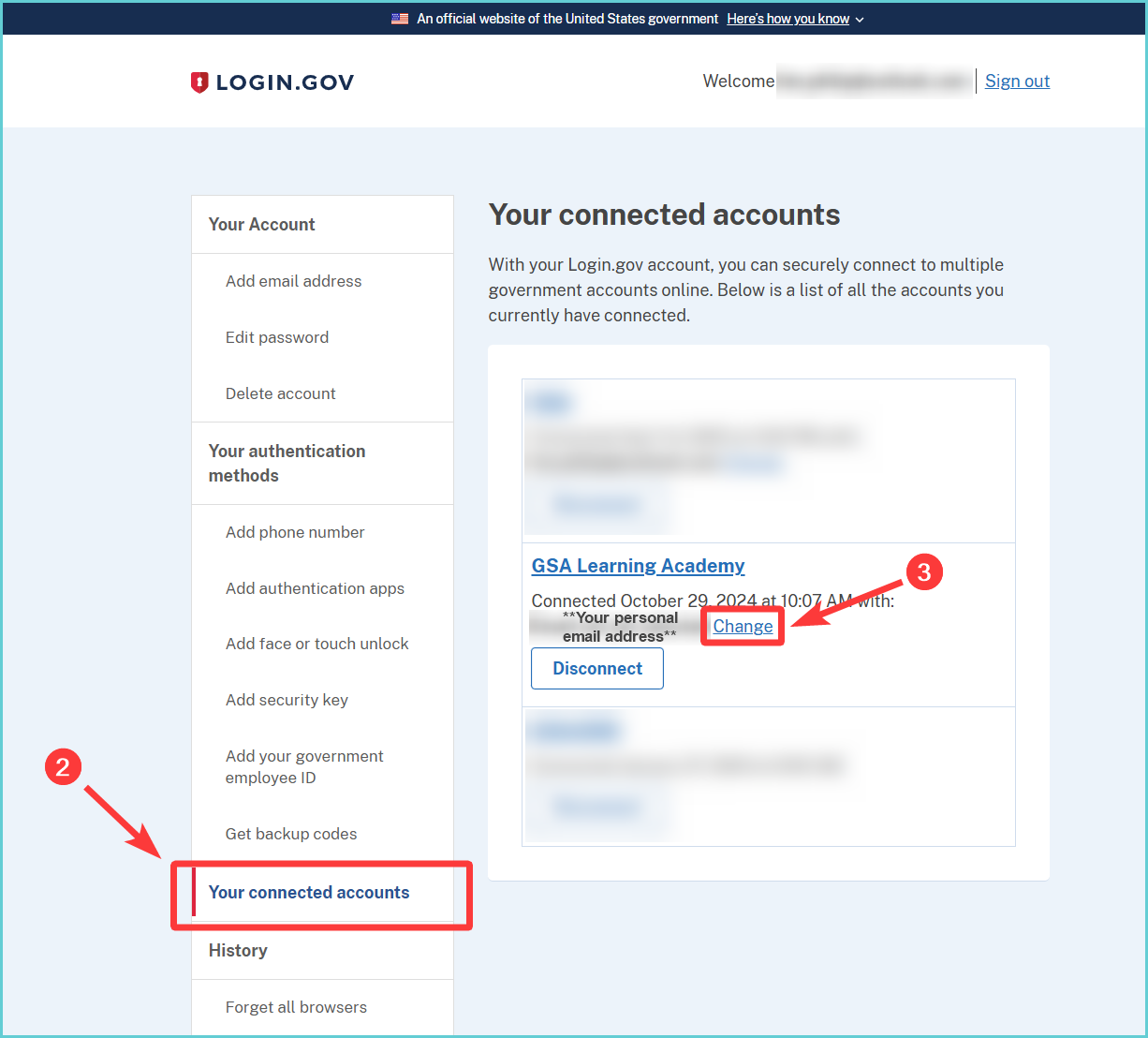
4. Select the radio button next to your work email address option.
5. Click the Select email button to confirm the change. You should then see a green message stating the update was successful.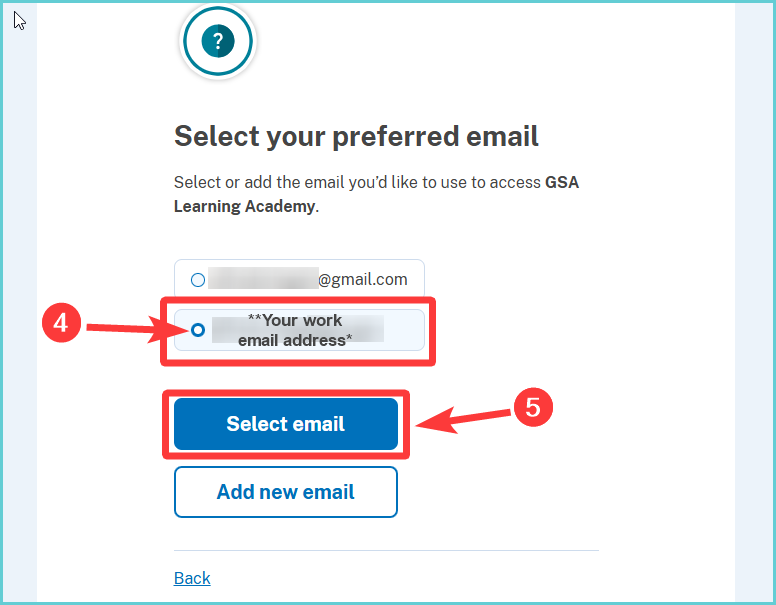
Once the change is done, you should be able to log in successfully using your CAC/PIV card. To log in, please visit the following link and click the ‘SIGN IN’ button under GSA Learning Academy: https://gsa.csodfed.com/client/gsa/
